Introduction
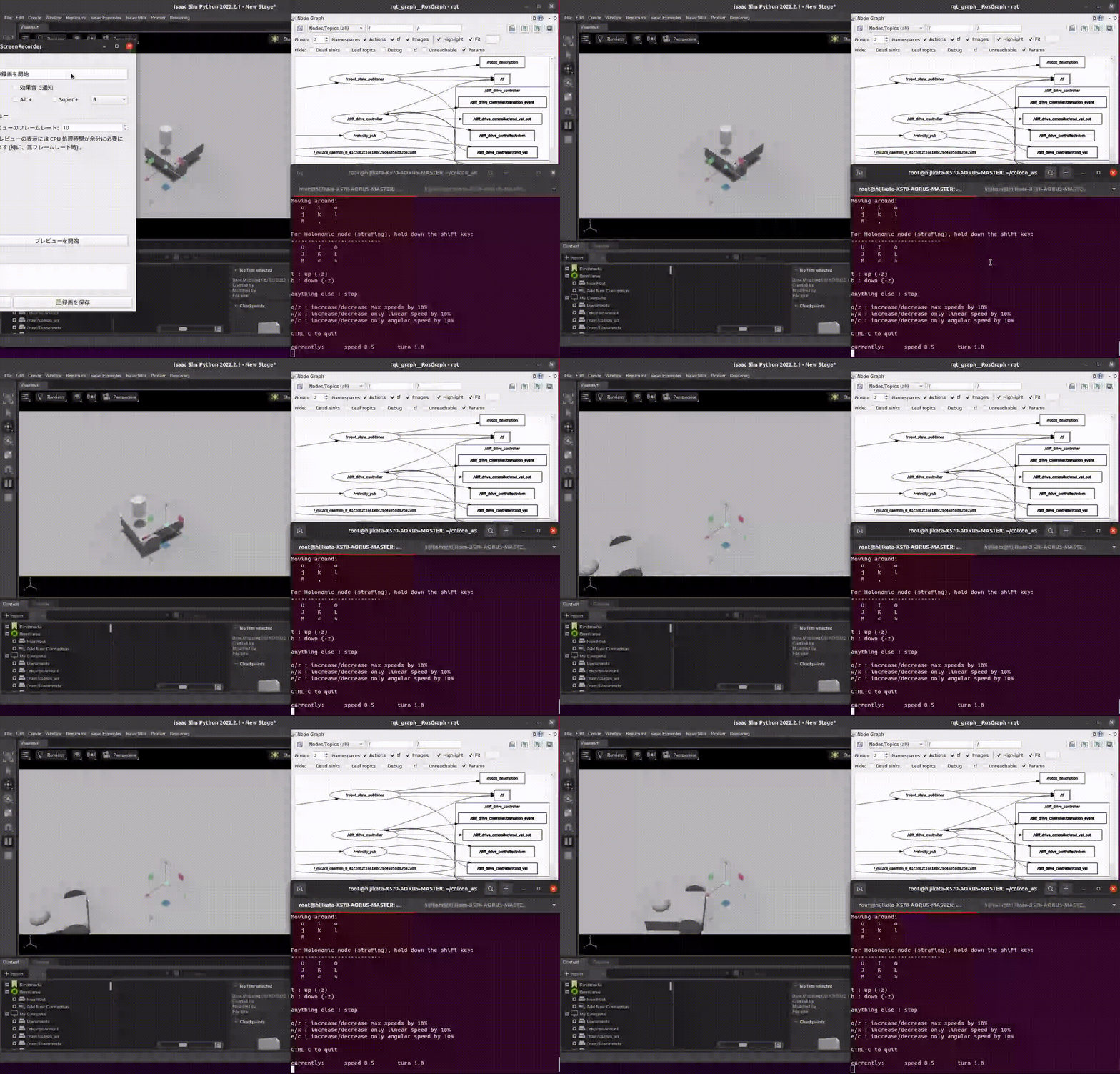
This repository lets you use Isaac Sim like Gazebo classic: you describe your robot in a URDF file, spawn it from a ROS 2 launch file, and control it through ros2_control — without writing any Isaac Sim specific code.
Why is this needed?
Isaac Sim is a powerful robotics simulator with photorealistic rendering and GPU-accelerated physics, but it works quite differently from Gazebo:
- Scenes and robots are described in USD (Universal Scene Description), not URDF/SDF.
- Simulation logic is built with OmniGraph (a visual scripting system) and Isaac Sim's own Python API, which must run inside Isaac Sim's bundled Python environment.
- There is no built-in equivalent of Gazebo's
<gazebo>URDF extensions for sensors, friction, or joint gains.
This repository bridges that gap. You keep the familiar ROS 2 workflow (URDF + launch files + ros2_control + sensor topics), and the packages here translate it into Isaac Sim's world for you.
How it works
 ROS 2 side                            Isaac Sim side
+---------------------------+         +----------------------------------+
| ros2_control              |         | Isaac Sim (launched by           |
|  +----------------------+ |  ROS 2  |  "launcher" node)                |
|  | topic_based_         | | topics  |  +----------------------------+  |
|  | ros2_control         |<--------->|  | OmniGraph built from your  |  |
|  | (hardware interface) | | (Joint  |  | URDF by isaac_ros2_scripts |  |
|  +----------------------+ |  State) |  | (joints, sensors, gripper) |  |
|                           |         |  +----------------------------+  |
| launch file --REST API--> | spawns  |                                  |
+---------------------------+         +----------------------------------+
- isaac_ros2_scripts launches Isaac Sim as a ROS 2 node and exposes a small
REST API (
/spawn_robot,/add_usd, ...). When you spawn a robot, it imports your URDF into USD, then automatically builds the OmniGraph networks that publish joint states / sensor data to ROS 2 topics and subscribe to joint commands. - topic_based_ros2_control is a ros2_control hardware interface that
exchanges
sensor_msgs/JointStatemessages with Isaac Sim over those topics, so any ros2_controller (e.g.diff_drive_controller,joint_trajectory_controller) works unchanged.
Isaac Sim specific settings that URDF cannot express (joint gains, friction
materials, sensors, grippers, thrusters) are written as custom URDF tags
(<isaac_drive_api>, <isaac_rigid_body>, <isaac>). The tutorials explain
each tag and how it is translated into Isaac Sim.
Features
- Spawns URDF models at the desired timing and position.
- Provides a ros2_control hardware interface, so standard ros2_controllers (e.g. diff_drive_controller) work as-is.
- Supports rotational and prismatic joints using position and velocity control.
- Sends joint status (position, velocity and effort) from Isaac Sim to ros2_control.
- Launches sensors (LiDAR, camera, depth camera, contact sensor) from the URDF description.
- Supports a vacuum-type surface gripper and thrusters from the URDF description.
- Sets joint stiffness, damping and friction from the URDF description.
Supported Versions
| Branch | Isaac Sim | ROS 2 |
|---|---|---|
main |
6.x | Jazzy |
for-isaac-sim-5.1.0 |
5.1 | Jazzy |
System Requirements
| Element | Minimum Spec |
|---|---|
| OS | Ubuntu 22.04 / 24.04 |
| CPU | Intel Core i7 (7th Generation) AMD Ryzen 5 |
| Cores | 4 |
| RAM | 32GB |
| Storage | 50GB SSD |
| GPU | GeForce RTX 3070 |
| VRAM | 8GB |
| NVIDIA Driver | 575 or later |
| ROS 2 | Jazzy |
Please refer to Isaac Sim System Requirements as well.
Important: Isaac Sim 6 is built with CUDA 12.9. With older host drivers (e.g. 555), most features appear to work but the RTX LiDAR silently publishes no data (
CUDA Driver CALL FAILED ... the provided PTX was
compiled with an unsupported toolchain.
appears in the log). Upgrade the host NVIDIA driver to 575 or later.
Demo
This sample repository provides demonstrations for a mobile robot and an arm robot, including a Docker environment where Isaac Sim and ROS 2 coexist.
Please check the following documents.
How to Use
Check this tutorial.
LICENSE
This repository is provided with MIT license. Please refer to this.